Déployer un LLM sur HuggingFace Inference Endpoints : Guide complet
Vous avez fine-tuné Llama 3, optimisé un modèle, ou voulez simplement servir un LLM open source en production. Comment le déployer de manière scalable et fiable ?
Les options :
- ❌ Self-hosted : Complexe (Docker, K8s, load balancing, monitoring)
- ❌ Modal, Replicate : Bon, mais vendor lock-in
- ✅ HuggingFace Inference Endpoints : Simple, scalable, interopérable
Pourquoi HuggingFace Inference Endpoints ?
- 🚀 Setup en 5 minutes : UI intuitive, zéro DevOps
- 📈 Autoscaling : 0 → 10 instances automatiquement
- 💰 Pay-per-minute : Pas de coût fixe, scale to zero
- 🔒 Privé : Vos modèles, vos données
- 🌐 API standard : Compatible OpenAI SDK
- 📊 Monitoring intégré : Latence, throughput, coûts
Dans ce tutoriel, vous apprendrez à :
- ✅ Uploader votre modèle sur HuggingFace Hub
- ✅ Créer et configurer un Inference Endpoint
- ✅ Choisir GPU adapté (T4, A10, A100)
- ✅ Configurer autoscaling et répliques
- ✅ Appeler l’API (REST, Python SDK)
- ✅ Monitorer performances et coûts
- ✅ Optimiser latence et throughput
- ✅ Migrer vers production (HTTPS, auth, rate limiting)
Temps estimé : 1-2 heures Coût : $0.60-4/h selon GPU (paiement minute) Niveau : Intermédiaire
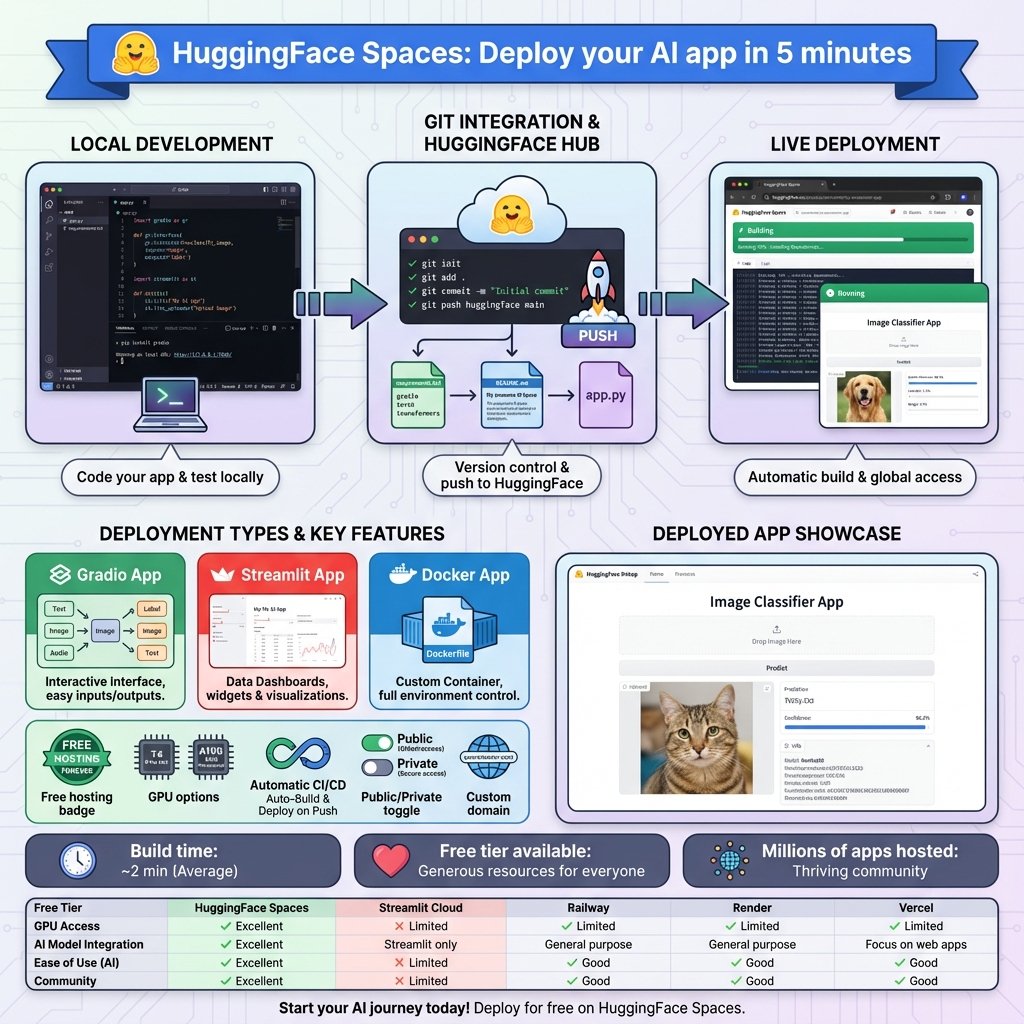
Architecture HuggingFace Inference Endpoints
Vue d’ensemble
┌─────────────────────────────────────────────────────┐
│           HUGGINGFACE INFERENCE ENDPOINT            │
├─────────────────────────────────────────────────────┤
│                                                     │
│  1. MODÈLE (HuggingFace Hub)                       │
│  ┌──────────────────────────────────────┐          │
│  │  your-username/llama-3-finetuned     │          │
│  │  - Model weights (safetensors)       │          │
│  │  - Config.json                       │          │
│  │  - Tokenizer                         │          │
│  └──────────────────────────────────────┘          │
│                     ↓                               │
│  2. ENDPOINT CONFIGURATION                         │
│  ┌──────────────────────────────────────┐          │
│  │  GPU: NVIDIA A10G (24GB)            │          │
│  │  Replicas: 1 (min) → 5 (max)       │          │
│  │  Autoscaling: Enabled               │          │
│  │  Framework: text-generation-inference│          │
│  └──────────────────────────────────────┘          │
│                     ↓                               │
│  3. DEPLOYMENT (Cloud)                             │
│  ┌─────────┐  ┌─────────┐  ┌─────────┐           │
│  │ GPU #1  │  │ GPU #2  │  │ GPU #3  │  (scale)  │
│  │ Active  │  │ Active  │  │ Standby │           │
│  └────┬────┘  └────┬────┘  └────┬────┘           │
│       │            │            │                  │
│       └────────┬───┴────────────┘                  │
│                ↓                                    │
│  ┌──────────────────────────────────────┐          │
│  │      Load Balancer + API Gateway     │          │
│  │  - HTTPS endpoint                    │          │
│  │  - Authentication (Bearer token)     │          │
│  │  - Rate limiting                     │          │
│  └────────────────┬─────────────────────┘          │
│                   │                                 │
│                   ↓                                 │
│  4. CLIENTS                                        │
│  ┌─────────┐  ┌─────────┐  ┌─────────┐           │
│  │ Python  │  │ cURL    │  │ Web App │           │
│  └─────────┘  └─────────┘  └─────────┘           │
│                                                     │
└─────────────────────────────────────────────────────┘
Composants clés
| Composant | Description | Rôle |
|---|---|---|
| Hub | Stockage modèles | Héberge weights, config, tokenizer |
| Endpoint | Service managé | Sert le modèle via API HTTPS |
| TGI | Text Generation Inference | Framework optimisé (batching, PagedAttention) |
| Load Balancer | Répartition traffic | Distribue requêtes sur répliques |
| Autoscaler | Scaling auto | Ajuste nb instances selon charge |
| Monitoring | Observabilité | Latence, throughput, coûts |
Uploader le modèle sur HuggingFace Hub
Créer un compte HuggingFace
- S’inscrire : huggingface.co/join
- Créer Access Token :
- Profil → Settings → Access Tokens
New token→ Type: Write → Copy
Installer CLI et login
pip install huggingface_hub

# Login
huggingface-cli login
# Paste your token
Préparer le modèle
Structure attendue :
my-model/
├── config.json              # Config modèle
├── model.safetensors        # Weights (ou pytorch_model.bin)
├── generation_config.json   # Config génération
├── tokenizer.json          # Tokenizer
├── tokenizer_config.json
├── special_tokens_map.json
└── README.md               # Documentation
Si vous avez fine-tuné avec LoRA (voir tutoriel fine tuning Llama) :
"""merge_lora.py - Merge LoRA adapters avec base model"""
from transformers import AutoModelForCausalLM, AutoTokenizer
from peft import PeftModel
import torch

BASE_MODEL = "meta-llama/Meta-Llama-3-8B"
LORA_ADAPTERS = "llama3-finetuned/final"
OUTPUT_DIR = "llama3-merged"

print("🔄 Chargement du modèle base...")
base_model = AutoModelForCausalLM.from_pretrained(
    BASE_MODEL,
    torch_dtype=torch.bfloat16,
    device_map="auto"
)

tokenizer = AutoTokenizer.from_pretrained(BASE_MODEL)

print("🔗 Merge avec adapters LoRA...")
model = PeftModel.from_pretrained(base_model, LORA_ADAPTERS)
merged_model = model.merge_and_unload()

print("💾 Sauvegarde...")
merged_model.save_pretrained(OUTPUT_DIR, safe_serialization=True)
tokenizer.save_pretrained(OUTPUT_DIR)

print(f"✅ Modèle merged sauvegardé: {OUTPUT_DIR}")
python merge_lora.py
Upload sur HuggingFace Hub
Option 1 : Via CLI
# Créer repo
huggingface-cli repo create llama-3-finetuned --type model

# Upload tous les fichiers
huggingface-cli upload your-username/llama-3-finetuned llama3-merged/
Option 2 : Via Python
"""upload_to_hub.py - Upload modèle sur HuggingFace Hub"""
from huggingface_hub import HfApi, create_repo

MODEL_DIR = "llama3-merged"
REPO_ID = "your-username/llama-3-finetuned"

# Créer repo (si n'existe pas)
create_repo(REPO_ID, repo_type="model", exist_ok=True)

# Upload
api = HfApi()

api.upload_folder(
    folder_path=MODEL_DIR,
    repo_id=REPO_ID,
    repo_type="model",
)

print(f"✅ Modèle uploadé: https://huggingface.co/{REPO_ID}")
python upload_to_hub.py
Durée : 10-30 min selon taille modèle et connexion
Vérifier sur le Hub
- Aller sur
https://huggingface.co/your-username/llama-3-finetuned - Vérifier présence fichiers :
- ✅
config.json - ✅
model.safetensors(ou.bin) - ✅
tokenizer.json - ✅
README.md(optionnel mais recommandé)
- ✅
Ajoutez un README.md avec description, use case, exemples. Cela améliore discoverability si modèle public.
Créer l’Inference Endpoint
Accéder à Inference Endpoints
- HuggingFace Dashboard : ui.endpoints.huggingface.co
- Clic “New endpoint”
Configuration de base
Étape 1 : Sélectionner Modèle
- Repository :
your-username/llama-3-finetuned - Visibility : Private (recommandé pour prod)
Étape 2 : Choisir Région
- US East : Basse latence Amérique du Nord
- EU West : Basse latence Europe
- AP Southeast : Basse latence Asie
Choisir selon localisation utilisateurs.
Étape 3 : Choisir GPU
| GPU | VRAM | Prix/h | Modèles Supportés | Use Case |
|---|---|---|---|---|
| NVIDIA T4 | 16GB | $0.60 | ≤7B (quantized) | Dev, tests |
| NVIDIA A10G | 24GB | $1.30 | ≤13B | Production légère |
| NVIDIA A100 | 40GB | $4.00 | ≤70B | Production intensive |
Recommandations :
- Llama 3 8B : A10G (24GB) optimal
- Llama 3 70B : A100 (40GB) ou 2× A10G
- Mistral 7B : T4 (16GB) suffit si quantized
Étape 4 : Advanced Configuration
# Task
task: text-generation

# Framework (automatique)
framework: text-generation-inference

# Scaling
min_replicas: 1      # Minimum instances actives
max_replicas: 5      # Maximum instances (autoscaling)

# Resources
instance_type: nvidia-a10g
instance_size: x1    # x1, x2, x4 (multi-GPU)

# Container
container:
  # Variables d'environnement
  env:
    MAX_BATCH_SIZE: "32"
    MAX_INPUT_LENGTH: "2048"
    MAX_TOTAL_TOKENS: "4096"
Étape 5 : Autoscaling
- Enabled : ✅ (recommandé)
- Scale to Zero : ⚠️ Non (cold start 30-60s)
- Target Requests/sec : 10 (ajuster selon trafic)
Créer l’endpoint
Cliquer “Create Endpoint”
Provisioning : 5-10 minutes
États :
- Building : Préparation container
- Initializing : Chargement modèle en VRAM
- Running : ✅ Prêt à servir
Vérifier le déploiement
Une fois Running :
# Test curl
curl https://your-endpoint.us-east-1.aws.endpoints.huggingface.cloud \
  -X POST \
  -H "Authorization: Bearer hf_..." \
  -H "Content-Type: application/json" \
  -d '{
    "inputs": "Once upon a time",
    "parameters": {"max_new_tokens": 50}
  }'
Réponse attendue :
[{
  "generated_text": "Once upon a time, in a land far away, there lived a brave knight..."
}]
Appeler l’API
REST API (curl)
Génération Simple
curl https://your-endpoint.aws.endpoints.huggingface.cloud/v1/chat/completions \
  -X POST \
  -H "Authorization: Bearer hf_..." \
  -H "Content-Type: application/json" \
  -d '{
    "model": "tgi",
    "messages": [
      {"role": "user", "content": "Explique la photosynthèse en 2 phrases"}
    ],
    "max_tokens": 100,
    "temperature": 0.7
  }'
Streaming (SSE)
curl https://your-endpoint.aws.endpoints.huggingface.cloud/v1/chat/completions \
  -X POST \
  -H "Authorization: Bearer hf_..." \
  -H "Content-Type: application/json" \
  -d '{
    "model": "tgi",
    "messages": [{"role": "user", "content": "Raconte une histoire"}],
    "stream": true
  }'
Python SDK
Installation
pip install huggingface_hub openai
Exemple avec OpenAI SDK (Compatible)
"""client.py - Appeler HF Inference Endpoint"""
from openai import OpenAI

# Configuration
BASE_URL = "https://your-endpoint.aws.endpoints.huggingface.cloud/v1"
API_KEY = "hf_..."  # HuggingFace token

client = OpenAI(
    base_url=BASE_URL,
    api_key=API_KEY
)

# Chat completion
response = client.chat.completions.create(
    model="tgi",  # Obligatoire (ignoré côté serveur)
    messages=[
        {"role": "system", "content": "Tu es un assistant utile."},
        {"role": "user", "content": "Qu'est-ce que l'IA ?"}
    ],
    max_tokens=200,
    temperature=0.7,
)

print(response.choices[0].message.content)
Streaming
"""streaming.py - Streaming responses"""
from openai import OpenAI

client = OpenAI(
    base_url="https://your-endpoint.aws.endpoints.huggingface.cloud/v1",
    api_key="hf_..."
)

stream = client.chat.completions.create(
    model="tgi",
    messages=[{"role": "user", "content": "Raconte une longue histoire"}],
    stream=True,
    max_tokens=500
)

for chunk in stream:
    if chunk.choices[0].delta.content:
        print(chunk.choices[0].delta.content, end="", flush=True)

print()  # Newline finale
LangChain integration
"""langchain_integration.py - Utiliser HF endpoint avec LangChain"""
from langchain_community.llms import HuggingFaceEndpoint
from langchain.chains import LLMChain
from langchain.prompts import PromptTemplate

# Endpoint
llm = HuggingFaceEndpoint(
    endpoint_url="https://your-endpoint.aws.endpoints.huggingface.cloud",
    huggingfacehub_api_token="hf_...",
    task="text-generation",
    model_kwargs={
        "max_new_tokens": 200,
        "temperature": 0.7,
    }
)

# Prompt template
template = """Tu es un expert en {domain}.

Question: {question}

Réponse détaillée:"""

prompt = PromptTemplate(template=template, input_variables=["domain", "question"])

# Chain
chain = LLMChain(llm=llm, prompt=prompt)

# Run
result = chain.run(
    domain="Python",
    question="Comment optimiser une boucle for ?"
)

print(result)
Gestion des erreurs
"""error_handling.py - Robust API calls"""
import time
from openai import OpenAI
from openai import APIError, Timeout, RateLimitError

client = OpenAI(
    base_url="https://your-endpoint.aws.endpoints.huggingface.cloud/v1",
    api_key="hf_..."
)

def call_with_retry(messages, max_retries=3):
    """Appelle API avec retry logic"""
    for attempt in range(max_retries):
        try:
            response = client.chat.completions.create(
                model="tgi",
                messages=messages,
                max_tokens=200,
                timeout=30.0  # 30s timeout
            )
            return response.choices[0].message.content

        except RateLimitError:
            print(f"⚠️  Rate limit atteint, attente 60s...")
            time.sleep(60)

        except Timeout:
            print(f"⏱️  Timeout (tentative {attempt+1}/{max_retries})")
            time.sleep(2 ** attempt)  # Exponential backoff

        except APIError as e:
            print(f"❌ Erreur API: {e}")
            if attempt == max_retries - 1:
                raise

    raise Exception("Max retries atteint")


# Utilisation
messages = [{"role": "user", "content": "Bonjour !"}]
response = call_with_retry(messages)
print(response)
Monitoring et optimisation
Dashboard HuggingFace
Métriques disponibles (temps réel) :
- Requests : Nombre total, par seconde
- Latency : p50, p95, p99
- Throughput : Tokens/sec
- Replicas : Actives, standby
- Errors : 4xx, 5xx
- Costs : Par heure, cumulé
Accès : Dashboard endpoint → Onglet Metrics
Optimiser latence
1. Batch Size
# Dans advanced config
env:
  MAX_BATCH_SIZE: "32"  # Augmenter (8 → 32)
Trade-off : Latence première réponse ↑, throughput global ↑
2. Max Input Length
env:
  MAX_INPUT_LENGTH: "2048"  # Réduire si pas besoin long context
Moins de tokens input = moins de compute = latence ↓
3. Quantization
Si modèle non-quantized, re-upload en 4-bit :
# Avant upload
model.save_pretrained(
    "model-quantized",
    safe_serialization=True,
    quantization_config={"load_in_4bit": True}
)
Latence ↓ 30-50%, VRAM ↓ 70%
4. GPU Plus Puissant
T4 → A10G : Latence ÷2 A10G → A100 : Latence ÷1.5
Optimiser coûts
1. Scale to Zero (si trafic sporadique)
Activer dans config :
scaling:
  min_replicas: 0  # ⚠️ Cold start 30-60s
  scale_to_zero_timeout: 300  # 5 min inactivité
2. Choisir GPU Adapté
Ne pas over-provision :
- Llama 3 8B : A10G (pas A100)
- Mistral 7B quantized : T4 (pas A10G)
3. Autoscaling Optimal
scaling:
  min_replicas: 1       # Toujours 1 active
  max_replicas: 5       # Cap selon trafic max
  target_load: 0.8      # Scale à 80% charge
Éviter : min=max (pas de scaling) ou max trop élevé
4. Monitoring Coûts
"""cost_tracker.py - Track endpoint costs"""
from huggingface_hub import HfApi

api = HfApi()

# Récupérer métriques endpoint
endpoint = api.get_endpoint("your-username/llama-3-endpoint")

# Calcul coût
cost_per_hour = endpoint.instance_type_cost
hours_active = endpoint.uptime_hours

total_cost = cost_per_hour * hours_active

print(f"💰 Coût total: ${total_cost:.2f}")
print(f"📊 Coût/h: ${cost_per_hour:.2f}")
print(f"⏱️  Uptime: {hours_active:.1f}h")
Production best practices
Sécurité
1. API Key Management
Ne JAMAIS hardcoder :
# ❌ Mauvais
API_KEY = "hf_abc123..."

# ✅ Bon
import os
API_KEY = os.getenv("HF_API_KEY")
2. HTTPS uniquement
HF endpoints sont HTTPS par défaut ✅
3. Rate Limiting
Implémenter côté client :
from ratelimit import limits, sleep_and_retry

@sleep_and_retry
@limits(calls=10, period=60)  # 10 requêtes/min
def call_endpoint(messages):
    return client.chat.completions.create(...)
High availability
1. Multi-Region
Déployez sur 2+ régions :
- Endpoint US East
- Endpoint EU West
Client fait failover automatique.
2. Monitoring & Alerting
Intégrer avec Prometheus/Grafana :
"""prometheus_exporter.py - Exporter métriques HF"""
from prometheus_client import Gauge, start_http_server
from huggingface_hub import HfApi
import time

# Métriques
latency_gauge = Gauge('hf_endpoint_latency_ms', 'Latency p95')
requests_gauge = Gauge('hf_endpoint_requests_total', 'Total requests')

def update_metrics():
    api = HfApi()
    endpoint = api.get_endpoint("your-endpoint")

    # Update gauges
    latency_gauge.set(endpoint.metrics.latency_p95)
    requests_gauge.set(endpoint.metrics.requests_total)

if __name__ == "__main__":
    start_http_server(8000)  # Prometheus scrape port
    while True:
        update_metrics()
        time.sleep(15)  # Update every 15s
3. Circuit Breaker
"""circuit_breaker.py - Prevent cascade failures"""
from pybreaker import CircuitBreaker

breaker = CircuitBreaker(
    fail_max=5,           # Open après 5 échecs
    timeout_duration=60   # Attendre 60s avant retry
)

@breaker
def call_endpoint_safe(messages):
    return client.chat.completions.create(
        model="tgi",
        messages=messages,
        timeout=10.0
    )

# Utilisation
try:
    response = call_endpoint_safe(messages)
except CircuitBreakerError:
    # Circuit ouvert, utiliser fallback
    response = call_fallback_model(messages)
Versioning
1. Versioning Modèles
your-username/
├── llama-3-v1
├── llama-3-v2-finetuned
└── llama-3-v3-optimized
Chaque version = endpoint distinct
2. Canary Deployment
"""canary.py - Route 10% traffic to new version"""
import random

def route_request(messages):
    # 90% → v2 (stable)
    # 10% → v3 (canary)

    if random.random() < 0.1:
        return call_endpoint_v3(messages)
    else:
        return call_endpoint_v2(messages)
3. Rollback Rapide
Garder ancienne version active, switch via config :
ACTIVE_ENDPOINT = os.getenv("ENDPOINT_URL", DEFAULT_V2)
Alternatives et comparaison
| Provider | Prix GPU/h | Autoscaling | Cold Start | API Standard | Pros | Cons |
|---|---|---|---|---|---|---|
| HuggingFace | $0.60-4 | ✅ Oui | 30-60s | OpenAI compat | Simple, monitoring | - |
| Modal | $0.50-3 | ✅ Oui | <10s | Custom | Très rapide cold start | Vendor lock-in |
| Replicate | Usage-based | ✅ Oui | 10-30s | Custom | Pay-per-call | Plus cher |
| RunPod | $0.40-2 | ⚠️ Manuel | N/A | Custom | Moins cher | Pas de managed service |
| AWS SageMaker | $1-5 | ✅ Oui | 5-10 min | Custom | Enterprise features | Complexe, cher |
Recommandation :
- Prototypage : HuggingFace (simple, rapide)
- Production SMB : HuggingFace ou Modal
- Production Enterprise : SageMaker (si déjà AWS)
- Budget limité : RunPod (mais plus de DevOps)
Ressources complémentaires
Articles liés :
Documentation officielle :
Questions fréquentes
Q: Combien coûte réellement un endpoint ? R: Exemple Llama 3 8B sur A10G ($1.30/h) :
- Trafic faible (10-100 req/jour) : $30-50/mois
- Trafic moyen (1K req/jour) : $100-200/mois
- Trafic élevé (10K req/jour) : $500-1000/mois
Avec autoscaling et min_replicas=1.
Q: Latence attendue ? R:
- T4 : 50-100 ms/token
- A10G : 30-50 ms/token
- A100 : 20-30 ms/token
Pour Llama 3 8B, générer 100 tokens = 3-10s
Q: Puis-je déployer n’importe quel modèle ? R: Oui, tant qu’il est sur HF Hub et compatible avec :
transformers(LLMs, vision, audio)sentence-transformers(embeddings)- Format custom avec
handler.py
Q: Scale to zero recommandé ? R:
- ✅ Oui si : Trafic sporadique, dev/test, budget serré
- ❌ Non si : Prod critique, besoin latence <100ms, trafic constant
Q: Comment gérer modèles >70B ? R: 2 options :
- Multi-GPU :
instance_size: x2(2 GPUs) - Tensor parallelism (automatique avec TGI)
Llama 3 70B nécessite A100 80GB ou 2× A10G.
Q: Puis-je utiliser mon propre domaine ? R: Oui, via reverse proxy (Cloudflare, NGINX) :
api.yourapp.com → HF endpoint
Dernier tutoriel : Créer une Extension Chrome avec IA pour résumer des pages web en 1 clic !
À suivre : Tutoriel 4 - Extension Chrome