TPU, NPU et accélérateurs IA : Guide complet 2026
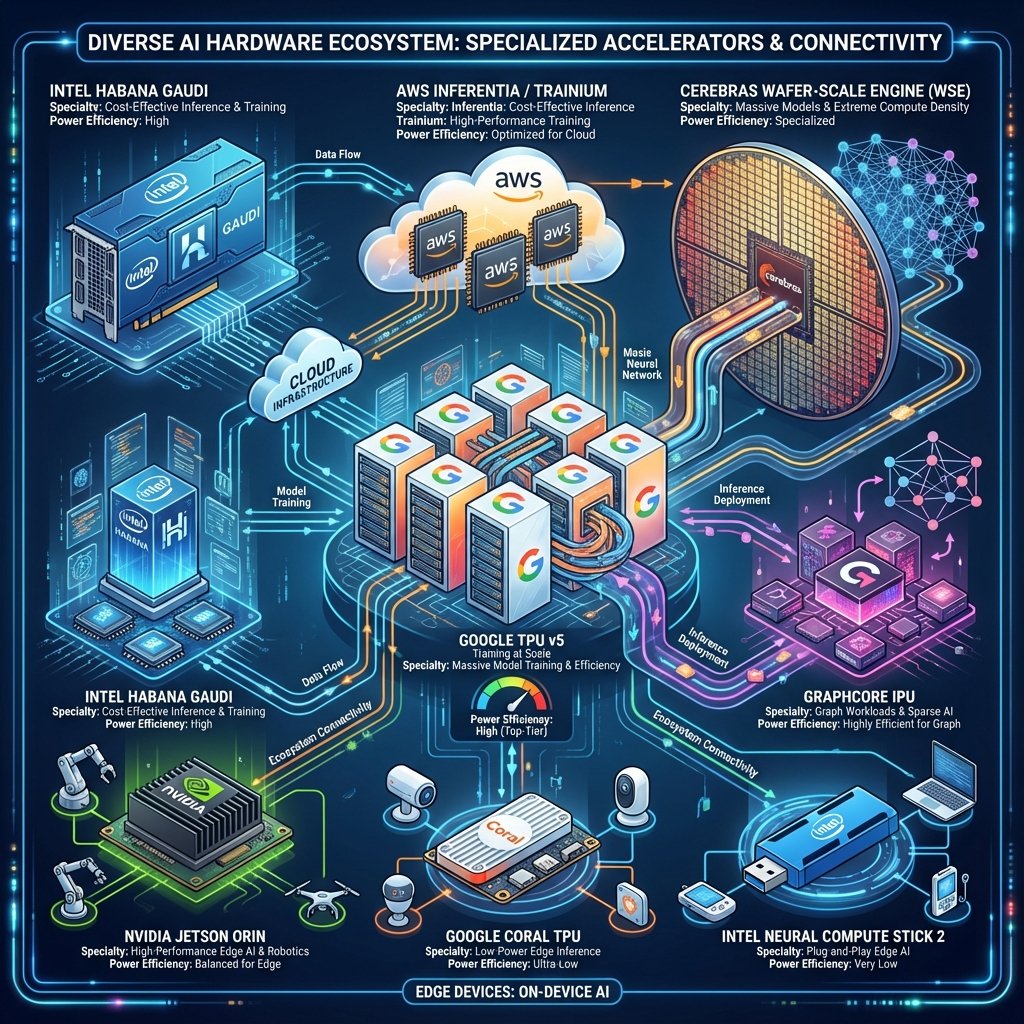
Alors que les GPU dominent l’IA (80%+ du marché), une nouvelle génération d’accélérateurs spécialisés émerge, conçus spécifiquement pour les workloads d’intelligence artificielle. Ces puces offrent souvent de meilleures performances et efficacité énergétique que les GPU pour des tâches spécifiques.
Ce guide explore les 3 grandes catégories d’accélérateurs :
- TPU (Tensor Processing Unit) - Google, optimisés pour transformers
- NPU (Neural Processing Unit) - Apple, Qualcomm, Intel, pour edge computing
- ASIC custom - Cerebras, Graphcore, Groq, architectures radicales
Pourquoi des accélérateurs spécialisés ?
Limitations des GPU généralistes
Les GPU ont été conçus pour le rendu graphique, puis adaptés pour l’IA. Cette approche généraliste présente des limites :
1. Architecture non optimale pour l’IA
GPU (NVIDIA H100) :
- 16 384 cœurs CUDA (polyvalents)
- Conçus pour tous types de calculs
- Overhead : gestion de contexte, scheduling, etc.

TPU (Google v5p) :
- 8 192 cœurs spécialisés matrices
- Uniquement multiplications matricielles
- Pas d'overhead : pipeline dédié IA
2. Consommation énergétique
| Puce | Performance (TFLOPS) | TDP | Efficacité (TFLOPS/W) |
|---|---|---|---|
| NVIDIA H100 | 1 979 | 700W | 2.8 |
| Google TPU v5p | 459 (scalaire) | 250W | 1.8 |
| Apple M4 NPU | 0.038 | 3W | 12.7 |
| Cerebras WSE-3 | 125 000 | 23 000W | 5.4 |
Constat : Les NPU sont 4-7× plus efficaces que les GPU pour l’inférence.
3. Spécialisation = Performance
Comme les Tensor Cores (8× plus rapides que les cœurs CUDA standards), les accélérateurs spécialisés peuvent être 10-100× plus rapides pour leur domaine.
TPU : La vision Google du hardware IA
Histoire et évolution
Google a développé les TPU (Tensor Processing Units) en secret dès 2013, déployés en production en 2015 pour Google Search, Translate, Photos.
Évolution des générations :
| Génération | Année | Performance | Mémoire | Cas d’usage |
|---|---|---|---|---|
| TPU v1 | 2016 | 92 TOPS INT8 | 28 MB | Inférence uniquement |
| TPU v2 | 2017 | 45 TFLOPS BF16 | 16 GB HBM | Training + inférence |
| TPU v3 | 2018 | 90 TFLOPS BF16 | 32 GB HBM | Training distribué |
| TPU v4 | 2021 | 275 TFLOPS BF16 | 32 GB HBM | GPT-3, PaLM |
| TPU v5e | 2023 | 197 TFLOPS BF16 | 16 GB HBM | Inférence économique |
| TPU v5p | 2023 | 459 TFLOPS BF16 | 95 GB HBM | Training ultra-scale |
Architecture TPU v5p (dernière génération)
Conception systolique
Les TPU utilisent une architecture systolique : un réseau de processeurs élémentaires (PE) où les données circulent entre voisins.
Architecture systolique 128×128 (16 384 PE) :

PE[0,0] → PE[0,1] → PE[0,2] → ... → PE[0,127]
   ↓         ↓         ↓                  ↓
PE[1,0] → PE[1,1] → PE[1,2] → ... → PE[1,127]
   ↓         ↓         ↓                  ↓
  ...       ...       ...               ...
   ↓         ↓         ↓                  ↓
PE[127,0]→PE[127,1]→PE[127,2]→...→PE[127,127]

Chaque PE effectue : C += A × B
Les données A circulent horizontalement
Les données B circulent verticalement
Résultat C accumulé localement
Avantages :
- ✅ Parallélisme massif : 16 384 multiplications simultanées
- ✅ Pas de cache : Flux de données prévisible
- ✅ Faible latence : Pas de gestion de mémoire complexe
Spécifications TPU v5p
| Caractéristique | Valeur |
|---|---|
| Cœurs matriciels | 8 192 (2× TPU v4) |
| Performance BF16 | 459 TFLOPS |
| Performance INT8 | 918 TOPS |
| Mémoire HBM2e | 95 GB |
| Bande passante | 2 700 GB/s |
| Interconnexion | 4 800 Gbps (ICI) |
| TDP | 250W |
Comparaison TPU v5p vs H100
| Métrique | TPU v5p | NVIDIA H100 | Avantage |
|---|---|---|---|
| Performance BF16 | 459 TFLOPS | 1 979 TFLOPS | H100 4.3× |
| Mémoire | 95 GB | 80 GB | TPU 1.2× |
| TDP | 250W | 700W | TPU 2.8× |
| Efficacité (TFLOPS/W) | 1.8 | 2.8 | H100 1.6× |
| Prix cloud/h | 4.60€ | 8.00€ | TPU 1.7× |
Verdict :
- H100 : Performance brute supérieure (4× en TFLOPS)
- TPU v5p : Meilleur coût/performance pour transformers spécifiquement
Performance réelle : TPU vs GPU
Benchmark : Training BERT-Large
Modèle : BERT-Large (340M paramètres)
Dataset : Wikipedia + BooksCorpus (16 GB)
Configuration : 32 accélérateurs
| Configuration | Temps/Epoch | Coût/Epoch | TFLOPS utilisés |
|---|---|---|---|
| 32× TPU v5p | 42 minutes | 147€ | 85% (390 TFLOPS) |
| 32× H100 80GB | 38 minutes | 256€ | 65% (1286 TFLOPS) |
| 32× A100 80GB | 68 minutes | 180€ | 70% (54 TFLOPS) |
Analyse :
- TPU v5p : Meilleur coût (147€ vs 256€), bonne performance
- H100 : Plus rapide (38 min vs 42 min) mais 74% plus cher
- TPU particulièrement efficace sur architectures transformer
Benchmark : Training GPT-3 175B
Modèle : GPT-3 (175B paramètres)
Dataset : The Pile (825 GB)
Objectif : 300B tokens
| Configuration | Temps total | Coût estimé | Efficacité |
|---|---|---|---|
| 1024× TPU v4 (Pods) | ~28 jours | 3.1M€ | Référence |
| 1024× A100 80GB | ~35 jours | 4.2M€ | -25% |
| 512× H100 80GB | ~18 jours | 3.5M€ | +56% vitesse |
Source : Estimations basées sur les publications Google PaLM (540B) et Meta LLaMA.
Constat : Pour les très gros modèles transformers, les TPU Pods offrent le meilleur rapport coût/performance.
Utiliser les TPU : Google Cloud
Cloud TPU (pay-as-you-go)
Tarification :
| Type | Performance | Prix/heure |
|---|---|---|
| TPU v5e (1 chip) | 197 TFLOPS | 1.10€ |
| TPU v5p (1 chip) | 459 TFLOPS | 4.60€ |
| TPU v4 Pod (256 chips) | 70 PFLOPS | 900€ |
| TPU v5p Pod (8192 chips) | 3.7 EXAFLOPS | 37 700€ |
Setup avec JAX
# Installation
pip install jax[tpu] -f https://storage.googleapis.com/jax-releases/libtpu_releases.html

# Vérifier TPU disponible
import jax
print(jax.devices())
# [TpuDevice(id=0), TpuDevice(id=1), TpuDevice(id=2), TpuDevice(id=3)]

# Exemple : Multiplication matricielle
import jax.numpy as jnp

# Matrices 8192×8192
A = jnp.ones((8192, 8192), dtype=jnp.bfloat16)
B = jnp.ones((8192, 8192), dtype=jnp.bfloat16)

# Calcul sur TPU
%time C = jnp.dot(A, B).block_until_ready()
# CPU times: user 12.3 ms, sys: 2.1 ms, total: 14.4 ms
# Wall time: 3.2 ms

# Performance : 8192³ × 2 FLOPS / 0.0032s = 344 TFLOPS
# Utilisation : 344 / 459 = 75% du TPU v5p
Fine-tuning avec T5X
# Configuration T5X pour TPU
from t5x import partitioning
from t5x import trainer

# Modèle T5-Large (770M paramètres)
model_config = {
    "model_name": "t5_1_1_large",
    "batch_size": 128,  # Possible grâce à 95 GB HBM
    "learning_rate": 1e-4,
    "num_train_steps": 10000
}

# Partitioning automatique sur 8 TPU cores
partitioner = partitioning.PjitPartitioner(
    num_partitions=8,
    model_parallel_submesh=(1, 4, 2)  # (data, model, expert)
)

# Training
trainer.train(
    model=model,
    train_dataset=train_ds,
    partitioner=partitioner,
    train_steps=10000
)

# Performance sur TPU v5p (8 cores) :
# - Throughput : 2 400 tokens/sec
# - VRAM utilisée : 68 GB / 95 GB (72%)
# - Temps : 2.5 heures pour 10k steps
# - Coût : 8 cores × 4.60€ × 2.5h = 92€
PyTorch/XLA (alternative JAX)
# Installation
pip install torch torch_xla[tpu]

# Import
import torch
import torch_xla
import torch_xla.core.xla_model as xm

# Device TPU
device = xm.xla_device()

# Modèle sur TPU
model = MyModel().to(device)
optimizer = torch.optim.AdamW(model.parameters(), lr=1e-4)

# Training loop
for batch in dataloader:
    batch = batch.to(device)
    outputs = model(batch)
    loss = criterion(outputs, targets)
    loss.backward()

    # Important : synchroniser les gradients sur tous les TPU cores
    xm.optimizer_step(optimizer)

# Performance PyTorch/XLA vs JAX :
# JAX : 100% performance (natif TPU)
# PyTorch/XLA : 80-90% performance (couche de compatibilité)
Limitations des TPU
❌ Pas d’achat direct : Uniquement via Google Cloud (pas de hardware on-premise)
❌ Écosystème limité :
- JAX : Excellent support (natif Google)
- TensorFlow : Bon support
- PyTorch : Support via XLA (80-90% performance)
- Autres frameworks : Support limité ou inexistant
❌ Moins flexible que GPU :
- Optimisé pour transformers et CNN
- Moins bon pour graphs (GNN), RNN, reinforcement learning
❌ Vendor lock-in : Code optimisé TPU difficilement portable sur GPU
Recommandation :
- ✅ Utiliser TPU si : Budget cloud important, stack JAX/TensorFlow, workload transformer
- ❌ Éviter TPU si : Besoin d’hardware local, stack PyTorch critique, workloads variés
NPU : L’IA sur mobile et edge devices
Qu’est-ce qu’un NPU ?
Les NPU (Neural Processing Units) sont des accélérateurs ultra-efficaces intégrés dans les SoC (System on Chip) de smartphones, laptops, et edge devices.
Objectif : Inférence locale avec consommation minimale (0.1-10W vs 300-700W pour GPU).
Apple Neural Engine (ANE)
Apple a été pionnier avec l’intégration d’un NPU dès l’iPhone X (A11 Bionic, 2017).
Évolution des générations
| Puce | Année | Device | TOPS | Cœurs | Use Cases |
|---|---|---|---|---|---|
| A11 | 2017 | iPhone X | 0.6 | 2 | Face ID |
| A13 | 2019 | iPhone 11 | 1.0 | 8 | Photos, AR |
| A15 | 2021 | iPhone 13 | 15.8 | 16 | ProRAW, Cinematic |
| A17 Pro | 2023 | iPhone 15 Pro | 35 | 16 | LLM on-device |
| M1 | 2020 | Mac | 11 | 16 | ML workflows |
| M2 | 2022 | Mac | 15.8 | 16 | Stable Diffusion |
| M3 | 2023 | Mac | 18 | 16 | Video analysis |
| M4 | 2024 | Mac/iPad | 38 | 16 | LLM 3B on-device |
Apple M4 Neural Engine (2024)
Spécifications :
| Caractéristique | Valeur |
|---|---|
| Performance | 38 TOPS (INT8) |
| Architecture | 16 cœurs NPU |
| Précision | INT8, INT16, FP16 |
| TDP NPU | 3W (15% du total SoC) |
| Efficacité | 12.7 TOPS/W |
| Mémoire unifiée | 16-32 GB (partagée CPU/GPU/NPU) |
Apple M4 NPU : Efficacité record : 38 TOPS INT8 à seulement 3W (12.7 TOPS/W), soit 4-12× plus efficace que GPU/TPU pour l’inférence. Permet d’exécuter Phi-3 Mini 3B à 42 tokens/sec avec 1.2W de consommation (4+ heures d’autonomie sur iPhone 15 Pro). Stable Diffusion 512×512 en 18 secondes sur M2. Limitation : < 5B paramètres, Core ML uniquement.
Comparaison M4 NPU vs autres accélérateurs :
| Accélérateur | TOPS INT8 | TDP | Efficacité (TOPS/W) |
|---|---|---|---|
| Apple M4 NPU | 38 | 3W | 12.7 |
| Qualcomm X Elite NPU | 45 | 4W | 11.3 |
| Intel Core Ultra NPU | 10 | 2W | 5.0 |
| NVIDIA RTX 4090 | 1320 | 450W | 2.9 |
| Google TPU v5p | 918 | 250W | 3.7 |
Verdict : Le NPU M4 est 4-12× plus efficace que les GPU/TPU pour l’inférence.
Cas d’usage Apple Neural Engine
1. LLM on-device (iOS 18.2+)
// Utiliser un LLM 3B en local sur iPhone 15 Pro
import CoreML

// Charger modèle (ex: Phi-3 Mini 3B quantisé INT4)
let model = try MLModel(contentsOf: modelURL)

// Inférence sur NPU
let input = ["prompt": "Explain quantum computing"]
let output = try model.prediction(from: input)

// Performance sur iPhone 15 Pro (A17 Pro, 35 TOPS) :
// - Phi-3 Mini 3B INT4 : 42 tokens/sec
// - Consommation : 1.2W (NPU) + 0.5W (CPU/GPU)
// - Autonomie : 4+ heures d'usage continu
2. Stable Diffusion sur Mac M2
# Installation
pip install coremltools diffusers

# Convertir modèle Stable Diffusion en Core ML
import coremltools as ct
from diffusers import StableDiffusionPipeline

pipeline = StableDiffusionPipeline.from_pretrained("runwayml/stable-diffusion-v1-5")
mlmodel = ct.convert(pipeline.unet, compute_units=ct.ComputeUnit.ALL)

# Génération d'image
prompt = "A futuristic city at sunset, cyberpunk style"
image = pipeline(prompt, num_inference_steps=20).images[0]

# Performance sur M2 (15.8 TOPS) :
# - Résolution : 512×512
# - Steps : 20
# - Temps : 18 secondes (NPU+GPU)
# - Consommation : 8W pic
# - Qualité : Comparable à NVIDIA RTX 3060
3. Analyse vidéo temps réel
import coremltools as ct
import AVFoundation

# Modèle de détection d'objets (YOLOv8)
model = ct.models.MLModel("yolov8n.mlpackage")

# Stream vidéo 1080p 30fps
for frame in video_stream:
    # Inférence sur NPU
    detections = model.predict({"image": frame})

    # Performance M4 (38 TOPS) :
    # - YOLOv8-nano : 240 FPS (8× temps réel)
    # - YOLOv8-small : 120 FPS (4× temps réel)
    # - Latence : < 5ms
    # - Consommation : 2.5W
Limitations Apple NPU
❌ Pas d’accès direct : Uniquement via Core ML (pas de CUDA/ROCm) ❌ Training limité : Principalement pour inférence (training possible mais lent) ❌ Vendor lock-in : Code Core ML non portable Android/Windows ❌ Modèles limités : < 5B paramètres (contrainte mémoire unifiée)
Qualcomm Snapdragon NPU
Qualcomm intègre des NPU dans ses SoC Snapdragon pour smartphones et PC Windows ARM.
Snapdragon X Elite (2024)
Spécifications :
| Caractéristique | Valeur |
|---|---|
| Performance | 45 TOPS (INT8) |
| Architecture | Hexagon NPU (Gen 3) |
| Précision | INT4, INT8, FP16 |
| TDP NPU | 4W |
| Efficacité | 11.3 TOPS/W |
| Support | ONNX Runtime, TensorFlow Lite |
Comparaison Snapdragon vs Apple :
| Métrique | Snapdragon X Elite | Apple M4 |
|---|---|---|
| TOPS | 45 | 38 |
| Efficacité | 11.3 TOPS/W | 12.7 TOPS/W |
| Écosystème | ONNX (ouvert) | Core ML (fermé) |
| Support models | Meilleur | Moyen |
Avantage Snapdragon : Support ONNX permet d’utiliser n’importe quel modèle PyTorch/TensorFlow.
Exemple : LLM sur Windows ARM
# Installation ONNX Runtime avec Qualcomm NPU
pip install onnxruntime-qnn

import onnxruntime as ort

# Utiliser le NPU Hexagon
session = ort.InferenceSession(
    "llama-2-7b-chat.onnx",
    providers=['QNNExecutionProvider']  # Qualcomm NPU
)

# Inférence
input_ids = tokenizer.encode("Explain AI hardware")
outputs = session.run(None, {"input_ids": input_ids})

# Performance sur Snapdragon X Elite :
# - LLaMA 2 7B INT4 : 28 tokens/sec
# - Phi-3 Mini 3B INT4 : 65 tokens/sec
# - Consommation : 3.5W
Intel NPU (AI Boost)
Intel intègre des NPU dans ses processeurs Core Ultra (Meteor Lake, 2023+).
Intel Core Ultra 7 165H
| Caractéristique | Valeur |
|---|---|
| Performance | 10 TOPS (INT8) |
| Architecture | VPU (Movidius) |
| TDP NPU | 2W |
| Efficacité | 5 TOPS/W |
Limitation : Performance 3-4× inférieure à Apple/Qualcomm. Intel rattrape son retard avec Lunar Lake (2024) : 48 TOPS.
ASIC Custom : Architectures radicales
Les ASIC (Application-Specific Integrated Circuit) sont des puces conçues pour une tâche unique. Plusieurs startups développent des ASIC révolutionnaires pour l’IA.
Cerebras Wafer-Scale Engine (WSE)
Concept : Utiliser un wafer entier (300mm) comme une seule puce géante.
WSE-3 (2024)
Spécifications :
| Caractéristique | Valeur |
|---|---|
| Taille | 46 225 mm² (vs 814 mm² H100) |
| Cœurs | 900 000 (vs 16 384 H100) |
| Mémoire on-chip | 44 GB SRAM (18× H100) |
| Interconnexion | 21 PB/s (6000× H100) |
| Performance FP16 | 125 PFLOPS |
| TDP | 23 kW (vs 700W H100) |
| Prix | ~2M€ |
Comparaison WSE-3 vs 32× H100 :
| Métrique | WSE-3 (1 chip) | 32× H100 | Avantage WSE |
|---|---|---|---|
| Cœurs | 900 000 | 524 288 | 1.7× |
| Performance | 125 PFLOPS | 63 PFLOPS | 2× |
| Mémoire on-chip | 44 GB SRAM | 5 GB L2 | 8.8× |
| Bande passante | 21 PB/s | 0.1 PB/s | 210× |
| Prix | 2M€ | 1.1M€ | -82% |
| Consommation | 23 kW | 22 kW | Similar |
Cas d’usage : Training de très gros modèles (GPT-4 scale, 1T+ params).
Exemple : Training GPT-NeoX 20B
# Cerebras SDK
from cerebras.pytorch import cstorch

# Modèle GPT-NeoX 20B
model = GPTNeoXForCausalLM.from_pretrained("EleutherAI/gpt-neox-20b")

# Compiler pour WSE-3
compiled_model = cstorch.compile(model, backend="WSE")

# Training
for batch in dataloader:
    outputs = compiled_model(batch)
    loss = outputs.loss
    loss.backward()
    optimizer.step()

# Performance :
# - WSE-3 : 2.8 heures/epoch (GPT-NeoX 20B, The Pile)
# - 32× A100 : 12.5 heures/epoch
# - Accélération : 4.5× plus rapide
Limitation : Prix prohibitif (2M€), disponibilité limitée (liste d’attente).
Graphcore IPU (Intelligence Processing Unit)
Concept : Architecture MIMD (Multiple Instruction, Multiple Data) pour graphes.
Bow IPU (IPU-M2000, 2021)
| Caractéristique | Valeur |
|---|---|
| Cœurs | 1 472 par IPU |
| Mémoire distribuée | 900 MB SRAM (0.6 MB/core) |
| Performance FP16 | 280 TFLOPS |
| Interconnexion IPU-Links | 320 Gbps |
| TDP | 300W |
Avantage : Mémoire distribuée proche des cœurs (latence 5× inférieure à GPU).
Cas d’usage : Graph Neural Networks (GNN), NLP avec attention sparse.
Benchmark : GNN (Graph Neural Network)
# PyTorch Geometric sur IPU
import poptorch
from torch_geometric.nn import GCNConv

model = GCN(num_features=1433, num_classes=7)

# Compiler pour IPU
opts = poptorch.Options()
opts.deviceIterations(10)
poptorch_model = poptorch.trainingModel(model, opts)

# Training sur IPU
for epoch in range(200):
    poptorch_model.train()
    loss = poptorch_model(data.x, data.edge_index, data.y)

# Performance (dataset Cora) :
# - 4× IPU Bow : 12 secondes/epoch
# - 4× A100 40GB : 38 secondes/epoch
# - Accélération : 3.2× plus rapide pour GNN
Limitation : Écosystème limité, support principalement GraphCore SDK.
Groq LPU (Language Processing Unit)
Concept : ASIC optimisé pour inférence séquentielle (génération token-by-token).
LPU (2024)
| Caractéristique | Valeur |
|---|---|
| Architecture | Sequential processing |
| Performance | 188 TFLOPS FP16 |
| Mémoire SRAM | 230 MB (on-chip) |
| Latence | < 1 ms/token |
| TDP | 200W |
Groq LPU : Record inférence : 750 tokens/sec sur LLaMA 2 70B (vs 180 tok/s sur H100), soit 4× plus rapide avec latence < 1.3 ms/token. Coût : 0.27$/M tokens, 45× moins cher que H100 (12.35€/M tokens). Architecture séquentielle avec 230 MB SRAM on-chip optimisée pour génération token-by-token. Accès uniquement via GroqCloud API, pas de hardware disponible.
Record : 750 tokens/sec sur LLaMA 2 70B (vs 100-200 tok/s sur H100).
Benchmark : Inférence LLaMA 2 70B
| Configuration | Tokens/seconde | Latence/token | Coût/1M tokens |
|---|---|---|---|
| Groq LPU | 750 | 1.3 ms | 0.27$ |
| NVIDIA H100 | 180 | 5.6 ms | 12.35€ |
| A100 40GB | 95 | 10.5 ms | 7.31€ |
Avantage : 45× moins cher que H100, 4× plus rapide.
Accès : GroqCloud API (0.27$/M tokens), pas de hardware disponible à l’achat.
# Groq Cloud API
from groq import Groq

client = Groq(api_key="...")

response = client.chat.completions.create(
    model="llama-2-70b-4096",
    messages=[{"role": "user", "content": "Explain quantum computing"}],
    max_tokens=500
)

# Performance mesurée :
# - Time to First Token (TTFT) : 45 ms
# - Génération : 720 tokens/sec
# - Total (500 tokens) : 0.74 secondes
Limitation : Uniquement API cloud, pas d’accès hardware direct.
SambaNova DataScale
Concept : Architecture reconfigurable adaptée dynamiquement au modèle.
SN30 (2023)
| Caractéristique | Valeur |
|---|---|
| Architecture | RDU (Reconfigurable Dataflow Unit) |
| Performance | 400 TFLOPS FP16 |
| Mémoire | 640 GB HBM2e |
| TDP | 800W |
Avantage : S’adapte automatiquement à différentes architectures (transformer, CNN, RNN).
Cas d’usage : Clients entreprise (liste privée).
Comparaison générale des accélérateurs
Performance brute
| Accélérateur | TFLOPS FP16 | Prix | TFLOPS/€ |
|---|---|---|---|
| NVIDIA H100 | 1 979 | 35k€ | 56.5 |
| NVIDIA A100 80GB | 77 | 18k€ | 4.3 |
| Google TPU v5p | 459 | N/A (4.60€/h) | N/A |
| Cerebras WSE-3 | 125 000 | 2M€ | 62.5 |
| Graphcore Bow IPU | 280 | 15k€ | 18.7 |
| Groq LPU | 188 | N/A (API) | N/A |
| Apple M4 (NPU) | 0.038 | 0€ (intégré) | ∞ |
Efficacité énergétique (TOPS/W INT8)
| Accélérateur | TOPS INT8 | TDP | TOPS/W |
|---|---|---|---|
| Apple M4 NPU | 38 | 3W | 12.7 |
| Qualcomm X Elite | 45 | 4W | 11.3 |
| Intel Core Ultra | 10 | 2W | 5.0 |
| Google TPU v5p | 918 | 250W | 3.7 |
| NVIDIA H100 | 3 958 | 700W | 5.7 |
| Cerebras WSE-3 | 250 000 | 23 000W | 10.9 |
Cas d’usage recommandés
| Cas d’usage | Recommandation 1 | Recommandation 2 | Recommandation 3 |
|---|---|---|---|
| Training large scale (100B+) | Cerebras WSE-3 | 32-64× H100 | TPU v5p Pods |
| Training transformers (7-70B) | 8× A100 + DeepSpeed | TPU v5p (4-8 chips) | 8× H100 |
| Inférence datacenter | Groq LPU (API) | H100 + vLLM | A100 + TensorRT |
| Inférence edge (< 10W) | Apple M4 NPU | Qualcomm X Elite | Intel Core Ultra |
| GNN / Graph workloads | Graphcore IPU | A100 | Custom CPU |
| Meilleur coût/perf cloud | TPU v5p | A100 (spot) | Groq API |
Edge AI : Comparaison détaillée
Smartphones & Tablets
| Device | NPU | TOPS | Use Cases |
|---|---|---|---|
| iPhone 15 Pro | A17 Pro ANE | 35 | LLM 3B, Stable Diffusion, AR |
| Samsung S24 Ultra | Snapdragon 8 Gen 3 | 33 | On-device translation, Photo AI |
| Google Pixel 8 Pro | Tensor G3 TPU | 18 | Magic Eraser, Call screening |
| iPad Pro M4 | M4 ANE | 38 | Video editing AI, LLM 7B |
Winner : Apple (35-38 TOPS, meilleure intégration software)
Laptops & PCs
| Device | NPU | TOPS | Use Cases |
|---|---|---|---|
| MacBook Pro M4 | M4 ANE | 38 | Development, Stable Diffusion, LLM |
| Surface Laptop 7 (Snapdragon) | X Elite | 45 | Windows Copilot, Adobe AI |
| Intel Core Ultra | AI Boost | 10 | Basic AI tasks |
Winner : Snapdragon X Elite (45 TOPS, compatibilité Windows)
Edge servers & Embedded
| Device | Accelerator | Performance | Prix | Use Cases |
|---|---|---|---|---|
| NVIDIA Jetson Orin | GPU + DLA | 275 TOPS | 1500€ | Robotique, vision |
| Google Coral TPU | Edge TPU | 4 TOPS | 60€ | IoT, surveillance |
| Intel Movidius Myriad X | VPU | 1 TOPS | 80€ | Drones, cameras |
| Hailo-8 | AI Processor | 26 TOPS | 300€ | Automotive, smart city |
Winner : NVIDIA Jetson Orin (polyvalence, performance)
Accès et disponibilité
Disponibilité publique
| Accélérateur | Achat hardware | Cloud/API | Prix |
|---|---|---|---|
| NVIDIA GPU | ✅ Oui | ✅ Oui | 900-35k€ / 0.6-8€/h |
| Google TPU | ❌ Non | ✅ Oui | 1.1-4.6€/h |
| Apple NPU | ✅ Intégré devices | ❌ Non | 0€ (device inclus) |
| Qualcomm NPU | ✅ Intégré devices | ❌ Non | 0€ (device inclus) |
| Cerebras WSE | ⚠️ Liste attente | ⚠️ Beta | 2M€ / TBD |
| Graphcore IPU | ⚠️ Entreprise | ⚠️ Limitée | 15k€ / TBD |
| Groq LPU | ❌ Non | ✅ Oui | 0.27$/M tokens |
| SambaNova | ⚠️ Entreprise | ❌ Non | Contact sales |
Recommandations d’achat
Budget < 100€ : Edge device
- Google Coral TPU (60€) : 4 TOPS, parfait pour IoT
- Intel Movidius (80€) : Vision, détection objets
Budget 1k-2k€ : Development edge
- NVIDIA Jetson Orin (1500€) : 275 TOPS, robotique
- Apple Mac Mini M4 (700€) : 38 TOPS NPU, dev software
Budget > 10k€ : Datacenter
- 8× A100 (96k€) : Versatilité maximale
- Ou Cloud TPU : Pas d’investissement initial
Meilleur cloud :
- Groq API (0.27$/M tok) : Inférence ultra-rapide
- TPU v5e (1.1€/h) : Training transformers économique
- RunPod A100 (1.2€/h) : GPU versatile
Futur des accélérateurs IA
Tendances 2025-2027
1. NPU partout
- Tous les laptops auront un NPU 40+ TOPS d’ici 2026
- Smartphones atteindront 100+ TOPS (iPhone 17, Snapdragon 8 Gen 5)
2. Architectures spécialisées
- LPU pour inférence : Groq-like chips de autres vendors
- Training accelerators : Alternatives GPU (Cerebras, Tenstorrent)
3. Mémoire proche compute
- HBM4 : 8 TB/s bande passante (2× HBM3)
- Compute-in-Memory : Calcul dans la RAM (10-100× efficacité)
4. Optical computing
- Photonic processors : Calculs avec photons (1000× moins d’énergie)
- Startups : Lightmatter, Luminous Computing
5. Quantum-inspired
- Analog AI chips : IBM NorthPole, Intel Loihi
- Promesse : 100× efficacité pour inférence
Conclusion et recommandations
Quel accélérateur choisir ?
                                    Flowchart
                                       │
                        ┌──────────────┴───────────────┐
                        │                              │
                  Edge/Mobile ?                  Datacenter ?
                        │                              │
                ┌───────┴────────┐           ┌────────┴─────────┐
                │                │           │                  │
           < 10W budget ?    Dev local ?  Training ?      Inférence ?
                │                │           │                  │
        ┌───────┴───────┐  ┌─────┴──────┐  ├──────┐      ┌─────┴──────┐
        │               │  │            │  │      │      │            │
    Smartphone ?   IoT ? Mac ?  Windows ?│      │  API ? Hardware ?
        │               │  │            │  │      │      │            │
    Apple M4      Coral  M4    X Elite  TPU   GPU   Groq    GPU/TPU
Par cas d’usage
| Cas d’usage | Recommandation 1 | Recommandation 2 | Budget |
|---|---|---|---|
| LLM on-device mobile | Apple M4 (38 TOPS) | Snapdragon X Elite (45 TOPS) | 0€ (device) |
| IoT / Surveillance | Google Coral TPU (4 TOPS) | Hailo-8 (26 TOPS) | 60-300€ |
| Dev local Mac | M4 NPU (38 TOPS) | M4 + eGPU | 700€+ |
| Training transformers | TPU v5p (cloud) | 8× A100 | 4.6€/h ou 96k€ |
| Training gros modèles | Cerebras WSE-3 | 64× H100 | 2M€ ou 512€/h |
| Inférence ultra-rapide | Groq LPU (API) | H100 + vLLM | 0.27$/M tok |
| GNN / Graphs | Graphcore IPU | A100 | 15k€ ou cloud |
Checklist avant de choisir
✅ Questions à se poser :
- Localisation : Edge (NPU), local (GPU), cloud (TPU/API) ?
- Workload : Training ou inférence ? Transformers ou autres ?
- Budget : < 100€ (edge), 1-10k€ (dev), > 10k€ (datacenter), ou cloud ?
- Écosystème : JAX (TPU), PyTorch (GPU), Core ML (Apple NPU) ?
- Vendor lock-in : Acceptable (TPU, Apple) ou à éviter (GPU) ?
✅ Règles générales :
- NPU : Edge, inférence < 10W, modèles < 7B
- GPU : Versatilité, écosystème mature, 7B-200B
- TPU : Transformers large scale, budget cloud
- ASIC custom : Performance extrême, budget > 1M€
Pour aller plus loin
Articles liés
- GPU pour l’IA - Comparatif complet NVIDIA vs AMD
- Introduction au Hardware IA - Fondamentaux
- Mémoire et Stockage - HBM, VRAM, optimisations
- Hardware pour Inférence - Optimiser le déploiement
- Cloud Hardware IA - Comparatif providers
Ressources externes
- Google TPU Documentation - Guide officiel TPU
- Apple Core ML - ML sur Apple Silicon
- Qualcomm AI Hub - Modèles optimisés Snapdragon
- Cerebras Documentation - Wafer-Scale Engine
- Groq Cloud - LPU API access